















The design editor built right in.
A full drag-and-drop canvas for every post you publish — no need to open a separate design tool. Brand it, resize it, and send it straight to the composer.
Brand
Layers
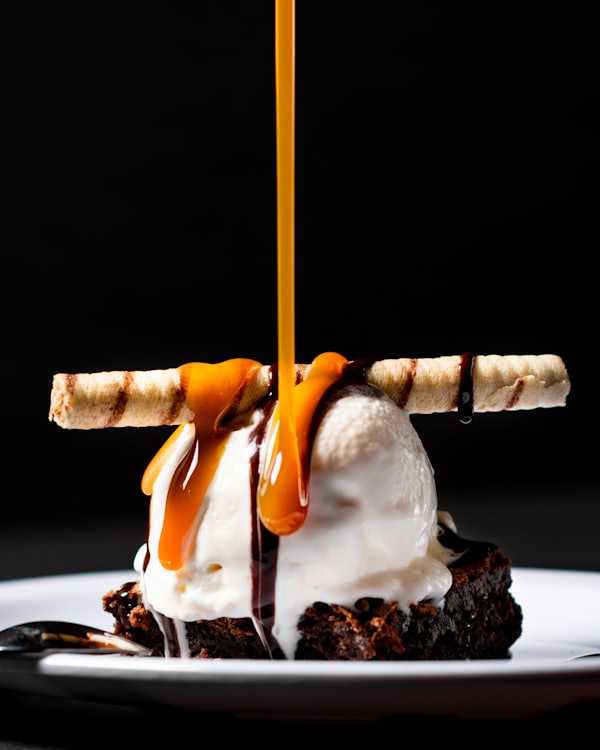
20% OFF
Today only · code SUMMER
Drag & drop canvas
A seamless, intuitive editor — no separate design tool required.
Templates and stock
Start from a ready-made template, and pull in free stock photography without leaving the canvas.
Your brand everywhere
Fonts, colors and logos applied automatically to every asset you make.
Any size you need
Start from a platform preset or set your own width and height, up to 2000px.
A layer stack, not a fill-in-the-blanks template.
Text, images and shapes sit on their own layers rather than being baked into a template. That is the difference between adjusting a design and starting it over, and it is why the Studio holds up next to standalone design software.
- Every element stays editable on its own layer
- Text on brand fonts, shapes on brand colours
- Start from a template or an empty canvas
bottled.OUT NOW
Logo
Brand kit
Headline
Brand font
Product shot
Masked
Gradient
Brand colours
Every element stays on its own layer — the way a real editor works.
Design once. Export at every ratio.
A square for the feed, a portrait for the grid, a vertical for stories and reels, a wide frame for YouTube. Change the canvas to the shape you need and arrange the design for it, without starting a new file.
- 1:1, 4:5, 9:16 and 16:9 from the same design
- Any custom size from 100 to 2000 pixels a side
- Export straight into a scheduled post
One design, exported at whichever shape the post needs — set the size and arrange the layout for that frame.
Set your brand once. Never think about it again.
Colors, fonts and logos live on your brand and apply themselves to AI images, templates and captions.
Brand
EditPalette
Typography
Plus Jakarta Sans — Headlines
Inter — Body copy and captions
Applied automatically to
Brand identity
Colors, fonts and logos — applied automatically wherever you create.
Studio templates
Save any design as a reusable template your whole team can start from.
Hashtag libraries
Curated hashtag sets, one click away in every composer.
Media library
Every upload organized and searchable across your brand.
A real editor, not a template picker.
Layers, filters and AI editing that hold up next to standalone design software — built for social, not general graphics.
Layers and control
Stack text, shapes and images on their own layers — opacity, corners, borders, filters and order.
Erase anything
Brush over the thing you do not want and it goes, with the background filled in behind it.
Extend and replace
Widen a photo past its edges, or select a region and describe what should be there instead.
Team libraries
Fonts, colours, logos and templates live on the brand, so the whole team starts from the same set.
New design
Custom size
Instagram post
1080 × 1080
Instagram story
1080 × 1920

Facebook post
1080 × 1080
LinkedIn post
1600 × 900

X post
1600 × 900
Pinterest post
1080 × 1080
One design. Every dimension.
Start from a platform preset — or type a width and a height of your own, up to 2000 pixels a side. The same design covers the feed, the story and the pin without a new file for each.
Fix the photo where it sits.
The things that used to send a photo back to someone else happen on the canvas. Brush out what you do not want, widen a shot that was framed too tight, or select a patch and describe what should be there instead — with every other layer untouched.
SelectedErase
Brush the bin out of the shot
Extend
Widen it past its own edges
Replace
Select a region, describe the fix
The layers around it stay exactly where they were.

Menu drop

Weekly offer

Behind the scenes
New arrival

Event night
Review quote
Never start from an empty canvas.
Over a million templates, stock photos, videos and royalty-free tracks — searchable by what you actually want to post. Pick one and your brand repaints it before you touch a single layer.
Save any design back as a Studio template and the whole team starts from it next time.
The editor, answered.
No. Start from a template and adjust colors, text and layout with simple drag-and-drop controls — no design background required.
Design once. Publish everywhere.
Start from a template or a blank canvas — your brand takes care of the rest.